

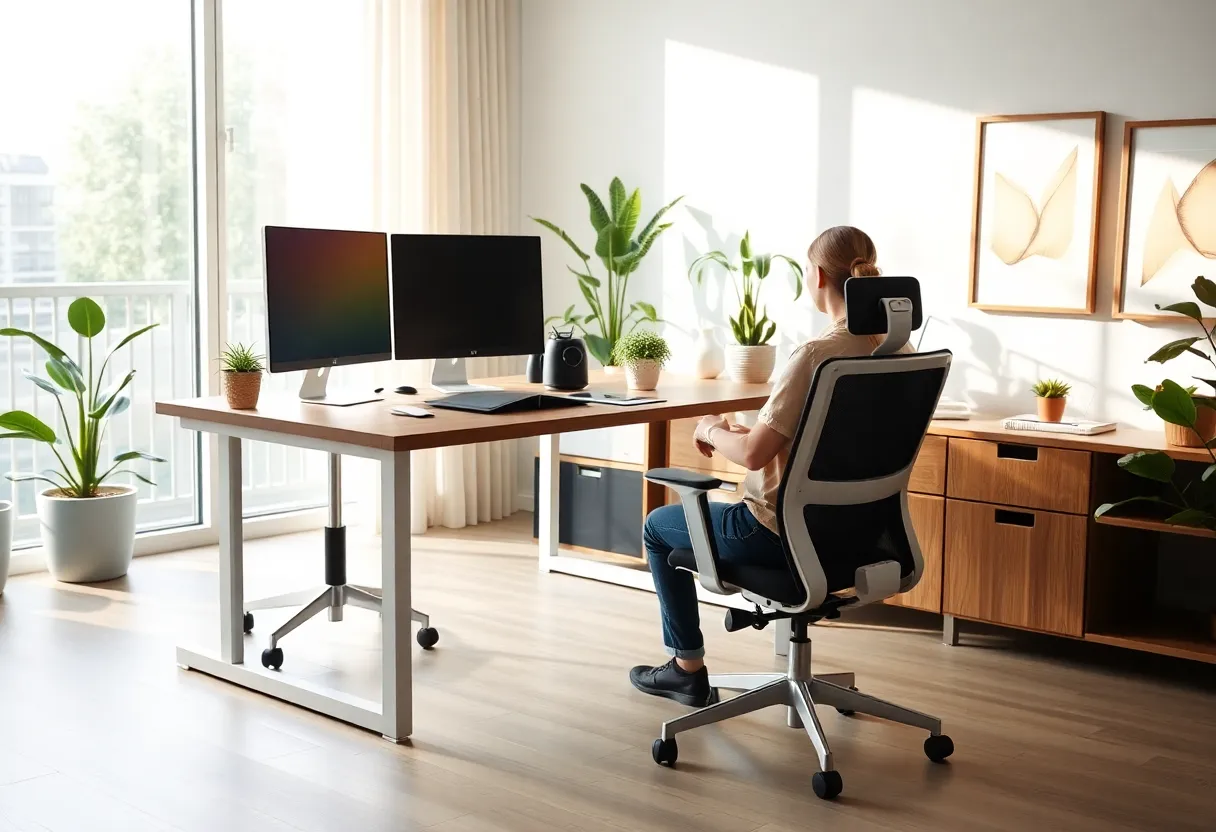
What Are the Key Tips for Designing Your Perfect Home Office Space?
Creating an effective home office requires careful planning and deliberate design choices. An optimal workspace enhances productivity, fosters focus, and promotes well-being. This guide distills key tips for designing your perfect home office space, emphasizing functionality, comfort, and aesthetics. Every aspect, from layout to lighting, plays a vital role in crafting a workspace tailored to your needs.
Prioritize Functionality Through Thoughtful Layout
Assess Your Space and Define Your Needs
Begin by analyzing the available space and listing essential functions. Will you need a large desk for multiple monitors? Do you require dedicated storage? Understanding your tasks helps determine layout priorities.
Create Clear Zones
Designate specific areas for different activities. For example, a primary desk for work tasks, a separate reading corner, or storage zones. Segmentation minimizes distractions and maximizes efficiency.
Optimize Traffic Flow and Accessibility
Arrange furniture to facilitate smooth movement. Essential items should be within arm’s reach, reducing unnecessary stretching or interruptions. Keep frequently used supplies nearby.
Invest in Ergonomic Furniture and Equipment
Choose an Adjustable Chair
An ergonomic chair with adjustable height, lumbar support, and armrests maintains posture and reduces discomfort during long hours. Proper support prevents strain and enhances focus.
Select a Suitable Desk
The desk should match your work habits. Height-adjustable desks promote movement, while ample surface area accommodates your equipment comfortably. Consider depth and width for optimal space utilization.
Incorporate Ergonomic Accessories
Use footrests, monitor stands, and keyboard trays to fine-tune ergonomics. Proper positioning of screens at eye level minimizes neck strain.
Prioritize Lighting and Visual Comfort
Maximize Natural Light
Position your desk near windows to capitalize on daylight. Natural light improves mood, reduces eye strain, and boosts productivity. Use sheer curtains to diffuse harsh sunlight.
Implement Layered Artificial Lighting
Combine ambient, task, and accent lighting. Overhead fixtures provide general light, while adjustable desk lamps address focused tasks. Proper lighting reduces glare and enhances visibility.
Avoid Visual Clutter and Glare
Ensure screens are perpendicular to windows to prevent glare. Use matte screens or anti-reflective coatings to improve clarity and comfort.
Establish Sound Control Measures
Minimize Distractions
Use soundproofing solutions like acoustic panels, thick carpets, or drapes. White noise machines can mask distracting background sounds.
Designate Quiet Zones
If multiple people share the space, create designated silent zones for focused work. Use physical barriers or separate rooms when possible.
Ensure Adequate Storage and Organization
Implement Efficient Storage Solutions
Incorporate shelves, drawers, and cabinets to keep clutter out of sight. Use file organizers for documents, cables, and supplies. Clear storage improves workflow and maintains a tidy environment.
Adopt a Consistent Organizational System
Develop labeling and categorization practices to locate items quickly. Regularly review and declutter to prevent accumulation of unnecessary items.
Incorporate Personal and Aesthetic Elements
Create a Motivating Environment
Add personal touches such as artwork, plants, or meaningful objects. These elements make the space inviting and reduce stress.
Maintain a Cohesive Design Theme
Select color schemes and decor that align with your professional style. A harmonious environment encourages focus and professionalism.
Optimize Technology and Connectivity
Ensure Reliable Internet Access
A high-speed, stable internet connection is essential for seamless communication and data transfer. Use wired connections where possible for stability.
Set Up Adequate Hardware and Software
Invest in powerful computers, monitors, and peripherals. Use productivity tools tailored to your work needs to streamline workflow and communication.
Prioritize Cybersecurity
Implement secure Wi-Fi, update software regularly, and use VPNs or firewalls. Protect sensitive data while working remotely.
Maintain Flexibility and Future-Proofing
Design for Adaptability
Choose modular furniture and versatile layouts that can evolve with your needs. Adjustable elements allow customization over time.
Plan for Expansion
If your workload increases or new equipment is added, ensure your design accommodates future changes without major overhaul.
Ensure Proper Ventilation and Climate Control
Maintain Fresh Air and Temperature
Good airflow prevents stuffiness. Use ventilation or air purifiers if needed. A comfortable temperature enhances concentration and overall health.
Keep the Space Clean and Hygienic
Regular cleaning reduces allergens and creates a pleasant environment. Proper humidity levels prevent discomfort and equipment damage.
Incorporate Personal Wellbeing and Break Areas
Designate Restful Spaces
Include a corner with comfortable seating or a standing desk for breaks. Short pauses boost mental clarity and physical health.
Encourage Movement
Use sit-stand desks, balance balls, or incorporate stretching areas to promote physical activity during work hours.
Summary of Core Principles for an Optimal Home Office Design
- Functionality: Prioritize layout to suit your workflow.
- Ergonomics: Invest in supportive furniture and accessories.
- Lighting: Combine natural and artificial sources for visual comfort.
- Sound Management: Minimize distractions through soundproofing.
- Organization: Use efficient storage to maintain a clutter-free environment.
- Personalization: Add elements that motivate and inspire.
- Technology: Ensure reliable connectivity and secure hardware setup.
- Flexibility: Design adaptable spaces to accommodate future needs.
- Climate: Maintain good air quality and comfortable temperature.
- Well-being: Incorporate areas and features that promote health and rest.
Conclusion
Designing your perfect home office space requires attention to detail, focus on core principles, and an understanding of your specific needs. An environment that fosters productivity, comfort, and aesthetic appeal directly impacts your work quality and overall satisfaction. By adhering to these key tips, you create a workspace that not only meets your professional requirements but also promotes well-being and long-term functionality.